
Projects and tasks
Project management software: kanban board, tasks and progress
A project rarely moves forward because it is well described, but because someone knows what to do next. TELYQOR attaches each project to its customer, its tasks and its deadlines, and shows where the work really stands.
14-day free trial, no credit card required
Knowing where the work stands, without a meeting
When progress lives in message threads, nobody sees the same state of the project — and forgotten deadlines only appear on delivery day.
TELYQOR displays progress computed from completed tasks, with an owner and a due date on each task, and a board you can move tasks across as the work happens.
- Finding out the progress means asking someone.
- Two people do the same task, or nobody does it.
- An urgent task stays invisible inside a message.
- The project is delivered but the tasks remain open.
Screens from the application
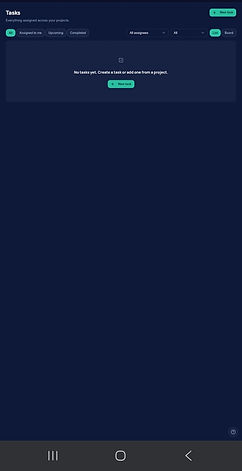
Real screens of the TELYQOR workspace. The records visible in these captures are fictitious examples used to illustrate the interface.

What the project module actually does
Projects attached to customers
Every project belongs to a customer and carries dates, status and budget, next to that customer's invoices.
Progress computed from tasks
Completion is derived from the tasks that are done, not from a percentage typed by hand.
Task board
Tasks move between to do, in progress and done by drag and drop, or can be read as a list.
Priorities and due dates
Each task carries a priority, a due date, an owner and a status.
Comments on tasks
Exchanges stay attached to the task they concern instead of living in a separate conversation.
Automated reminders
A rule can warn the owner when a task approaches its due date or passes it — on plans that include automations.
Three concrete situations
- 01
A web agency running several projects
Each project has its customer, its tasks and its progress, visible without a daily meeting.
- 02
A freelancer delivering in stages
Tasks describe the stages; once they are done, the invoice goes out with the lines from the quote.
- 03
A team that is growing
The owner of every task is explicit, and roles decide who may change what.
What the plans actually include
Every module is part of the application, but the allowances differ. The free plan is limited to one member, 2 customers, 2 prospects, 1 invoice, 1 project and 3 tasks. More members, records, storage, automations and AI credits come with the paid plans; automations and the AI assistant start with Professional. Each plan is shown with its own limits before you subscribe.
FAQ
Frequently asked questions
Other areas of the platform
The modules share the same company workspace. Open another page to see how they connect.
Start with one area, keep the whole business connected
Create a workspace, add your first customer and see how quotes, invoices and projects stay attached to the same record.