
Quotes and invoices
Invoicing software: create a quote and turn it into an invoice
A quote typed in a word processor, an invoice recalculated by hand, a payment noted on a scrap of paper: every step adds a chance of error. TELYQOR keeps the quote, the invoice and its payment in one chain.
14-day free trial, no credit card required
From request to payment, without retyping
Amounts, tax and line items get copied from one document to another, and an overdue invoice is often noticed too late.
In TELYQOR an accepted quote becomes an invoice with its lines already filled in. Payments are recorded against the invoice, and the state of every document stays visible in one list.
- A quote total no longer matches the invoice total.
- You cannot tell which invoices are overdue this week.
- A customer asks for a copy of an invoice and it has to be found.
- Partial payments are noted somewhere else.
Screens from the application
Real screens of the TELYQOR workspace. The records visible in these captures are fictitious examples used to illustrate the interface.
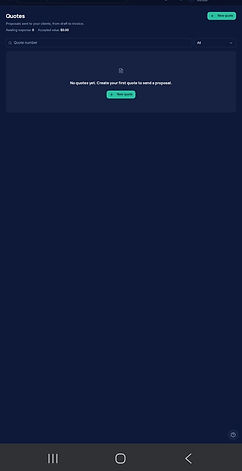

What the invoicing module actually does
Structured quotes
Line items, quantities, prices, discounts and tax computed on the document, with a status from draft to accepted or declined.
Quote to invoice conversion
An accepted quote becomes an invoice with its lines already in place, so nothing is copied by hand.
Invoices and due dates
Issue date, due date, currency, tax and status (sent, paid, overdue, cancelled) on every invoice.
Payment tracking
Each payment is recorded against its invoice with amount and date, so what remains due stays accurate.
PDF and CSV export
Download an invoice as a PDF to send to the customer, and the invoice list as a CSV for your accountant.
Per-document currency
Each quote and invoice carries its own currency, which matters when you bill in more than one country.
Three concrete situations
- 01
A consultant with several customers
The quote sent on Monday becomes the invoice for the month, and the payment is recorded as soon as it arrives.
- 02
An agency chasing unpaid invoices
Overdue invoices surface in the dashboard and the reports, without rereading every document.
- 03
An activity billed in two currencies
Invoices keep the currency of the customer while the company keeps its own summary currency.
What the plans actually include
Every module is part of the application, but the allowances differ. The free plan is limited to one member, 2 customers, 2 prospects, 1 invoice, 1 project and 3 tasks. More members, records, storage, automations and AI credits come with the paid plans; automations and the AI assistant start with Professional. Each plan is shown with its own limits before you subscribe.
FAQ
Frequently asked questions
Other areas of the platform
The modules share the same company workspace. Open another page to see how they connect.
Start with one area, keep the whole business connected
Create a workspace, add your first customer and see how quotes, invoices and projects stay attached to the same record.